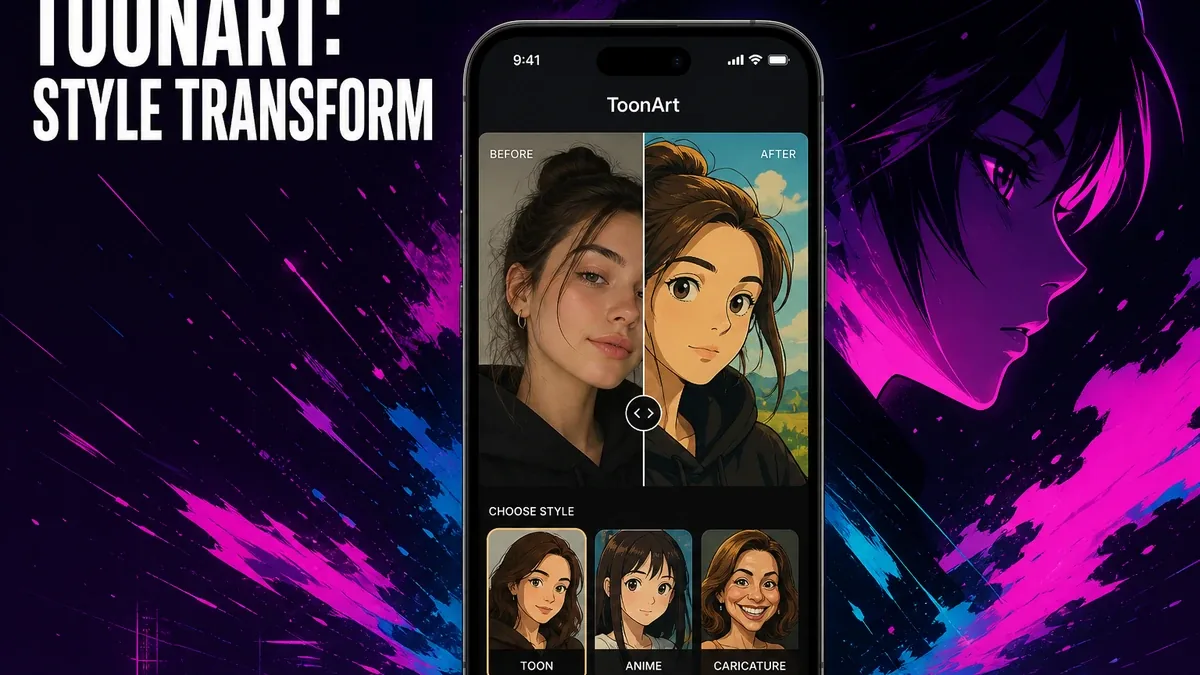
Restoration apps try to recover the real photo. Beautify apps try to polish the real face. Cartoon apps try to turn the photo into a stylized character. Those are three different jobs, even when all three open from the camera roll.
Download ToonArt MOD APK - Pro Unlocked
ToonArt · Cartoon Photo Editor · Avatar Filters · Android 2026 · Decision Guide
The Real Question Is Style Transform vs Photo Repair
Mobile photo tools get compared as if every edit is "enhancement." That collapses useful distinctions. Sometimes the image is damaged and needs recovery. Sometimes the face is clear and needs light cleanup. Sometimes the whole point is to leave realism behind and make an avatar, caricature, or cartoon profile look.
The core thesis of this article is simple: ToonArt is better when your job is stylized cartoon or avatar transformation, while Remini or photo-first editors remain better when the unfinished work is recovery or realistic correction. The right app is not the one with the trendiest filter pack. It is the one that matches whether you want a new look or a usable photo.
Why Cartoon Filters Solve a Different Problem Than Enhancement
A restoration tool succeeds when the person becomes clearer. A beautify tool succeeds when the selfie looks cleaner while still recognizable. A cartoon tool succeeds when the result deliberately stops being a normal photo and becomes a stylized character for profiles, stickers, or social play.
That means ToonArt should not be judged as a weaker Remini or a denser Peachy. It is optimizing for transform, not fidelity. Users who open it hoping to "fix" a blurry archive photo are in the wrong lane. Users who open it to make a Ghibli-style portrait, anime avatar, or caricature profile are in the right one.
If the source image still fails at clarity, recover first. If the goal is still a realistic portrait, retouch or grade instead of cartoonizing.
What ToonArt Actually Does Better
ToonArt MOD APK makes more sense when the decision starts with style. Cartoon filters, avatar looks, and one-tap restyles are useful for profile pictures, playful social posts, and character-like transforms that ordinary photo editors are not built to prioritize.
What you gain: a faster path to stylized cartoon or avatar outputs, and a clearer fit for playful identity transforms rather than photo repair.
What you lose: realistic editing depth. ToonArt is not the right first tool for restoring damaged photos or doing serious color and compositing work.
ToonArt is strongest when stylization is the goal. It is weaker when users need the photo to remain a believable record of a real moment.
Best For, Not Ideal For
ToonArt is best for: users who want cartoon, anime, caricature, or avatar-style transforms for profiles and social posts.
Remini is better when: the source is weak and needs quality recovery before any creative pass. See when Remini is the right photo app.
Pixlr or Lightroom are better when: the photo is already clear and still needs realistic correction, compositing, or color control. See why Pixlr still matters.
Not ideal for ToonArt: users restoring family archives, product photos, or any image that must stay photographically believable.
Biggest cost: realism trade-off. Style transform is fun precisely because it leaves the ordinary photo behind.
Before You Choose ToonArt
Before choosing ToonArt, ask whether you want a stylized character or a better version of the real photo. If the answer is character, cartoon tools fit. If the answer is clarity or realistic polish, start elsewhere.
For a wider map of mobile editing jobs, see best Photoshop alternatives for Android. For install friction, keep the APK parsing error fix and the MOD APK safety guide nearby.
Our Honest Recommendation
Choose ToonArt when stylized cartoon or avatar transformation is the real job. Stay with restoration or photo-first editors when the image still needs to remain a usable photograph.
In short: ToonArt is better for style transform. Remini and photo editors are better for recovery and realistic correction.
How to Download ToonArt MOD APK
Since the modded version is not available on the Google Play Store, you need to install it manually. Follow these steps:
- Enable Unknown Sources: Open Android settings, go to "Security" or "Apps," and enable "Install from Unknown Sources."
- Download the APK: Use the app page link to get the latest ToonArt MOD APK version.
- Remove Conflicting Versions: Uninstall the official ToonArt build first if installation fails due to signature conflict.
- Install the APK: Tap the downloaded file and complete installation.
- Test a Real Style Job: Transform one clear selfie into a cartoon or avatar look and ask whether stylization was the goal you actually needed.
A cartoon app is only the right first tool if you want to leave photographic realism on purpose. If the photo still needs repair, restore or edit first.
FAQ
Is ToonArt better than Remini?
Not for recovery. ToonArt is better for cartoon and avatar-style transforms. Remini is better when the photo needs clarity restored first.
Who should use ToonArt?
Users who want stylized cartoon, anime, caricature, or avatar outputs for profiles and playful social posts.
When is ToonArt the wrong choice?
When the image must stay photographically believable, or when the source still needs restoration before any creative transform.
What is the biggest trade-off with ToonArt?
You gain fast stylization, but you give up the realism that photo repair and correction tools are built to preserve.
If the goal is a cartoon or avatar look rather than a better real photo, ToonArt is one of the clearer Android style-transform options.