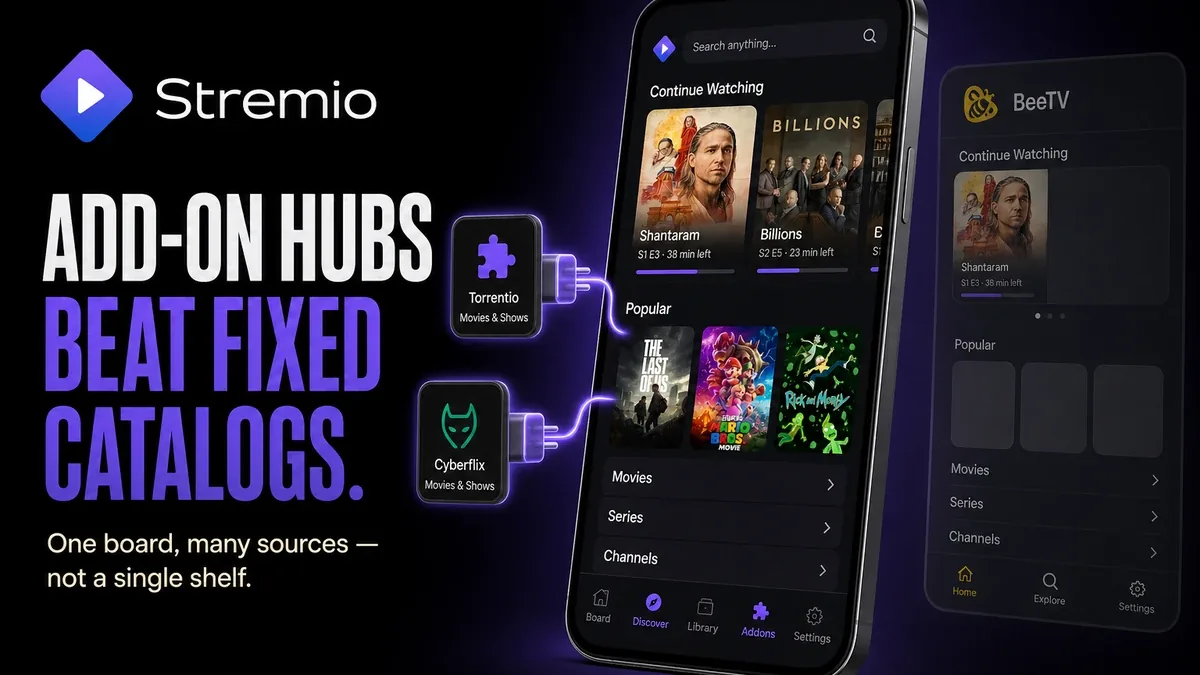
Single-catalog streamers win when one library is enough. Stremio enters when the unfinished job is a media hub — add-ons, calendars, and Continue Watching across sources — not another app that only hides ads on one fixed shelf.
Download Stremio MOD APK - Unlocked
Stremio · Add-ons · Media Hub · External Player · Android 2026
The Real Split Is Add-on Media Center vs One Fixed Catalog
Streaming mods often promise “more free movies.” Architecture differs. Netflix-shaped or BeeTV-shaped clients keep one product catalog. Stremio is a board for add-ons: you install community sources, organize Continue Watching, sync progress, and hand hard files to MX Player or VLC. The unfinished job is building a viewing hub, not unlocking one storefront’s VIP flag.
The core thesis of this article is simple: Stremio is better when add-on flexibility and a unified media board are the unfinished job, while fixed-catalog streamers remain better when you want one library without maintaining sources. The core trade is hub power against add-on setup time — not which VOD app has fewer taps between two aggregators.
Why Installing an Add-on Is a Different Job Than Opening a Catalog
A Stremio night: open Add-ons, install two sources you trust, board a series, resume from Continue Watching tomorrow, cast a stubborn encode to VLC. The unfinished job was organizing playback across sources.
A fixed-catalog night: open BeeTV or Netflix-shaped UI, pick a title, play. No add-on board. Continuity is the app’s own shelf.
That is a different decision from HD STREAMZ live channels, IPTV Smarters provider playlists, or BeeTV vs MovieBox friction. Here the axis is whether Stremio’s add-on hub is worth the setup.
What Stremio Actually Does Better
Stremio MOD APK is useful when an ad-light shell keeps the add-on board readable, while calendars, library sync, and external-player handoffs stay available for users who will maintain sources.
What you gain: one dashboard for movies, series, and add-on sources, plus cleaner browsing on MOD builds that strip promotional clutter.
What you lose: zero-setup simplicity. Broken add-ons can empty the board overnight. Stremio does not invent streams without sources you configure.
Stremio is strongest if you will install and update add-ons. It is weaker if you want one fixed catalog with no maintenance.
Best For, Not Ideal For
Stremio is best for: viewers who want an Android media hub with add-ons, Continue Watching, and external-player control.
Fixed-catalog apps are better when: you refuse source maintenance and only need one library surface.
Not ideal for Stremio: users who need live TV channel grids first, or who will never open the Add-ons menu.
Biggest cost: maintenance minutes. The unit of cost is time spent installing and replacing broken add-ons after upstream changes — not banner count alone.
Common mistake: installing Stremio with zero add-ons, then calling it empty when the hub was never configured.
Before You Choose Stremio
Before choosing Stremio, ask whether you will maintain add-ons. If the answer is no, a fixed VOD or live-TV client fits better. If yes, the hub model matches.
Our Honest Recommendation
Choose Stremio when an add-on media hub is the unfinished job. Stay on fixed-catalog apps when setup time would cancel the benefit.
In short: Stremio is better for building a viewing board than for zero-config one-shelf streaming.
How to Download Stremio MOD APK
Since the modded version is not available on the Google Play Store, you need to install it manually. Follow these steps:
- Enable Unknown Sources: Open Android settings, go to "Security" or "Apps," and enable "Install from Unknown Sources."
- Download the APK: Use the app page link to get the latest Stremio MOD APK version.
- Remove Conflicting Versions: Uninstall the official Stremio build first if installation fails due to signature conflict.
- Install the APK: Tap the downloaded file and complete installation.
- Judge It After One Add-on: Install at least one content add-on, play a title, and resume it next day from Continue Watching. If you refuse add-ons entirely, a fixed-catalog app was enough.
Stremio only wins if add-ons get installed and maintained. An empty board with ads removed is still an empty board.
FAQ
Does Stremio MOD include movies by itself?
Stremio is a hub. Content comes from add-ons and sources you configure. The MOD mainly cleans ads and tracking around that shell.
Who should use Stremio?
Viewers who want one Android board for multiple sources, calendars, and external-player handoffs.
When is Stremio the wrong choice?
When you will not maintain add-ons, or you only need live channel TV or a single fixed VOD catalog.
What is the biggest trade-off with Stremio?
You gain hub flexibility, but broken or missing add-ons can wipe usefulness until you repair the board.
If your viewing problem is organizing sources — not unlocking one shelf — Stremio’s add-on hub is the clearer job than another fixed-catalog install.