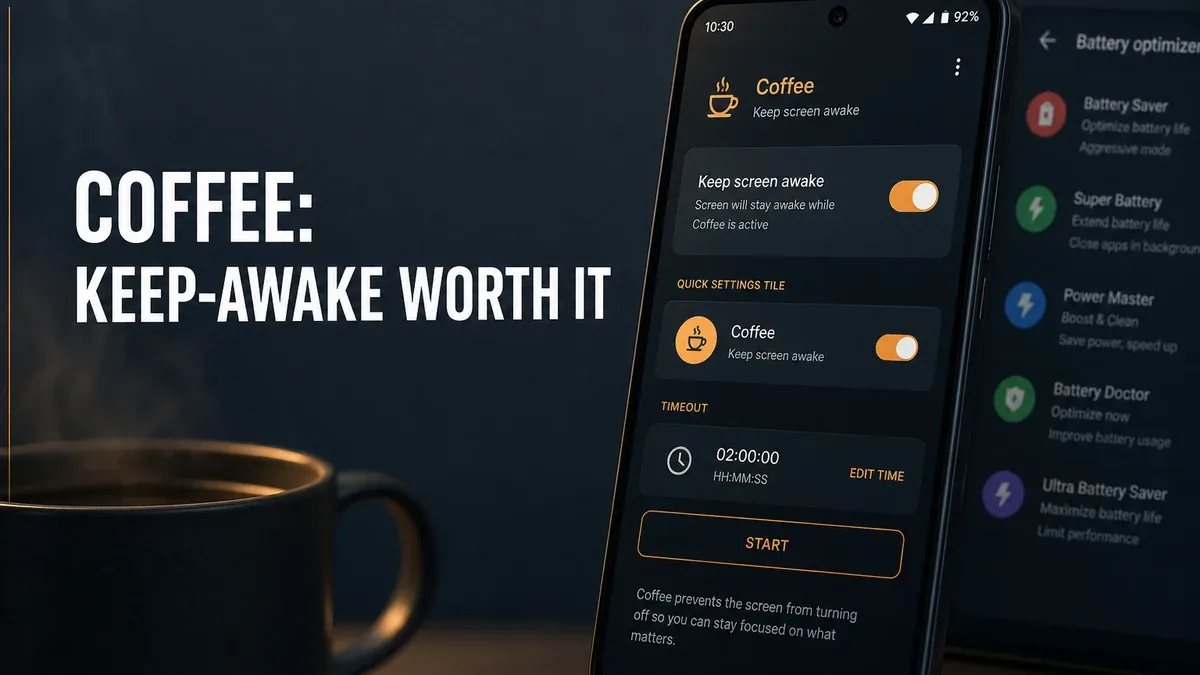
Battery tools often push cleaner dashboards and lower numbers. Coffee solves a narrower job: keep the screen awake long enough for one real task to finish without the phone locking mid-transfer, mid-route, or mid-presentation.
Download Coffee MOD APK - Premium Unlocked, No Ads
Coffee · Keep Screen Awake · Android Tools · Downloads · Decision Guide 2026
The Real Question Is Temporary Stay-Awake vs Battery Measurement
Android power problems get thrown into one vague bag: the phone is dying, so install more battery software. That hides a practical fork. Sometimes you need to know which charger is weak. Sometimes the unfinished job is simpler: the screen must stay on for a download, map, recipe, or whiteboard session, and the default timeout keeps interrupting it.
The core thesis of this article is simple: Coffee is better when your Android bottleneck is intentional temporary screen-on for a real task, while Ampere or cleaner tools remain better when accessory testing or junk reclaim is the unfinished job. The right tool is not the one that sounds most battery-related. It is the one that matches whether you need stay-awake control or diagnosis.
Why Long Jobs Break on Default Screen Timeouts
File transfers, APK installs, navigation glances, cooking timers on screen, and long downloads all fail the same soft way: the display sleeps, media pauses weirdly, or you keep tapping the screen only to keep progress alive. That is a job-completion problem, not a battery-health story.
Coffee sits in that narrow lane: a keep-awake override you can turn on for a session and turn back off. It is useful precisely because it is temporary and task-shaped. It is not a general battery saver, and it should not replace fixing a bad cable or reclaiming storage.
If the real question is which charger is delivering charge, start with relative current feedback instead. See when Ampere is worth using. If temporary clutter is filling the phone, cleaner tools belong to a different lane.
What Coffee Actually Does Better
Coffee MOD APK makes more sense when the decision starts with finish-the-task screen behavior. Keeping the display awake during deliberate work is more relevant here than another battery graph.
What you gain: fewer mid-task lock interruptions, a lightweight stay-awake control, and a clearer tool when the problem is timeout friction rather than power mystery.
What you lose: some power margin while it is active. A keep-awake tool only helps if you treat it as temporary, not as always-on lifestyle.
Coffee is strongest for short, intentional screen-on windows. It is weaker when users want permanent “never sleep” behavior and never revisit the drain trade-off.
Best For, Not Ideal For
Coffee is best for: users who need temporary keep-awake for downloads, navigation glances, cooking, presentations, or other single-task screen needs.
Ampere is better when: the real question is charger or cable performance on the same phone, not whether the screen times out.
CCleaner-style tools are better when: junk and storage reclaim are the actual bottleneck. See when CCleaner is worth using.
Not ideal for Coffee: users trying to “optimize battery” permanently, or people who already leave screens on all day without a defined task.
Biggest cost: power while active. Stay-awake only makes sense as a deliberate session control, not a default lifestyle.
Before You Choose Coffee
Before choosing Coffee, ask whether your friction is screen timeout mid-task or genuine power diagnosis. If a download or map keeps stopping because the display sleeps, stay-awake tools fit. If charge percentage still crawls on every cable, measure accessories first.
For install friction, keep the APK parsing error fix and the MOD APK safety guide nearby.
Our Honest Recommendation
Choose Coffee when temporary keep-awake is what finishes the job. Stay with measurement or cleaner tools when accessories or storage are the real problem.
In short: Coffee is better for intentional screen-on sessions. Battery meters and cleaners are better for diagnosis and reclaim.
How to Download Coffee MOD APK
Since the modded version is not available on the Google Play Store, you need to install it manually. Follow these steps:
- Enable Unknown Sources: Open Android settings, go to "Security" or "Apps," and enable "Install from Unknown Sources."
- Download the APK: Use the app page link to get the latest Coffee MOD APK version.
- Remove Conflicting Versions: Uninstall the official Coffee build first if installation fails due to signature conflict.
- Install the APK: Tap the downloaded file and complete installation.
- Judge It by Task Finish: Run one real transfer or long on-screen task with keep-awake on, then turn it off, and ask whether the session completed with less timeout friction.
A stay-awake tool only earns its place when the screen-on window is temporary and tied to a real job. Leaving it on forever is a different, worse decision.
FAQ
Is Coffee a battery saver?
No. Coffee is a temporary keep-awake tool for task completion. Battery measurement and cleanup belong to other apps.
Who should use Coffee?
Users who need the screen to stay on for downloads, navigation glances, cooking, presentations, or similar single-task sessions.
When is Coffee the wrong choice?
When you want permanent never-sleep behavior, or when the real problem is a weak charger, cable, or storage clutter.
What is the biggest trade-off with Coffee?
You gain task continuity, but active keep-awake costs power, so it should stay temporary and deliberate.
If the phone keeps locking before a real on-screen job finishes, Coffee is one of the clearer temporary stay-awake options on Android.