This is a dialog window

NetShort VIP Unlock Not Working in 2026? Update to 2.2.2 — Fix Guide

June 10, 2026
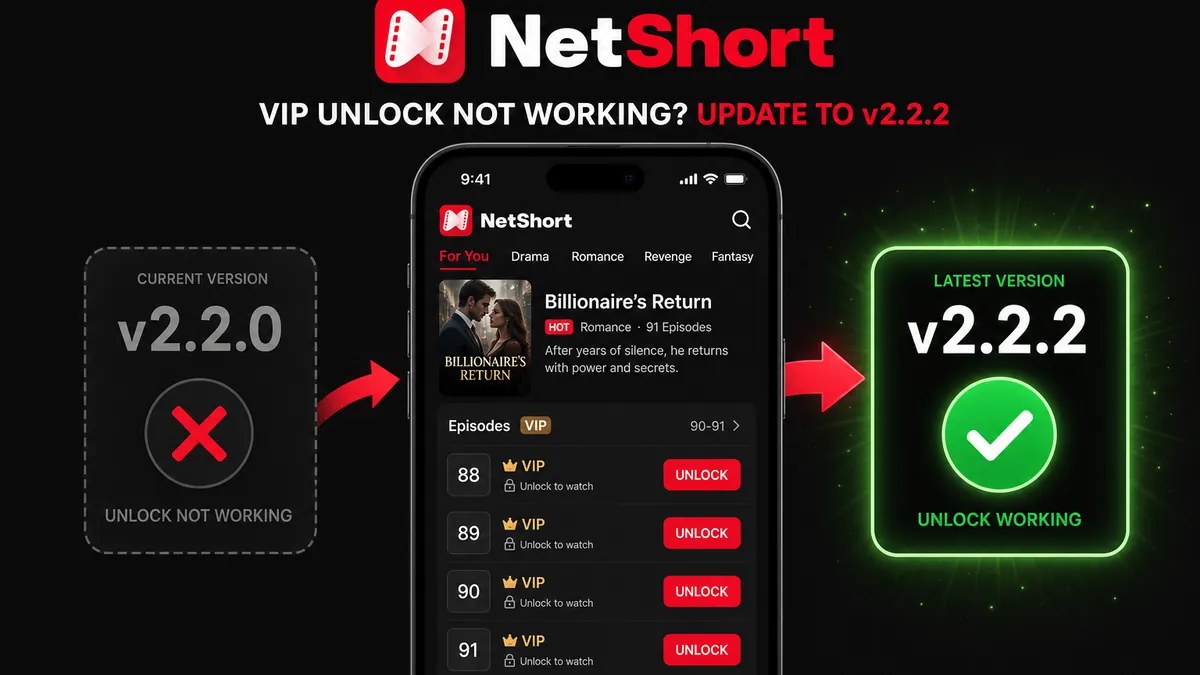
NetShort VIP unlock not working fix — update from 2.2.0 to 2.2.2 hero banner

Free VIP unlock only works on the latest NetShort (currently 2.2.2)

Versions 2.2.0 and earlier are no longer supported. Get the latest build on MODDROID before following this guide.

Get Latest NetShort — App Page & Download

Entertainment category · Latest version always available

If NetShort VIP unlock stopped working on your device in 2026, the most likely cause is your version. Versions 2.2.0, 2.1.6, and earlier are being progressively cut off from NetShort's updated backend, region by region — unlock fails silently or not at all. The fix is straightforward: install the latest NetShort (currently 2.2.2), which is the build where free VIP unlocks still work.

This guide explains what changed, which versions are affected, how to get the latest build, and how the free unlock flow works once you're on the right version.

Quick answer: version check first

  • On 2.2.0, 2.1.6, or earlier? Install the latest version — these older builds are losing server support and will not recover.
  • On the latest version but unlock still fails? Clear the app cache and retry — see the troubleshooting section below.
  • Not sure what version you have? Open NetShort → Profile → Settings → About to check.

The latest version (currently 2.2.2) is the only build confirmed working as of June 2026.

Why VIP Unlock Stopped Working on Older Versions

NetShort rolled out a significant update to its backend unlock system. The updated system is only compatible with the latest builds (2.2.2 and above). Older builds — 2.2.0, 2.1.6, and everything before them — communicate with endpoints that are being shut down in waves across different regions.

  • Why it's not happening to everyone at once: The deactivation is regional. Users in some areas lose compatibility weeks before others, which is why you may have seen reports of unlock working fine while yours was already broken.
  • Why it can't be fixed by clearing data or reinstalling the same version: The issue is server-side. No matter how clean your install is, old builds will keep failing once your region's endpoints go dark.
  • What this means for 2.2.0 long-term: There is no patch coming for 2.2.0 — the build itself is the problem. Users who stay on it will see unlock become permanently unavailable.

The only solution is to move to a version that supports the updated protocol — install the latest NetShort from MODDROID.

How to Install the Latest NetShort on Android

You can install the latest version directly over your existing NetShort — no need to uninstall first. Your watch history and preferences carry over automatically.

Steps

  1. Go to the NetShort app page on MODDROID and download the latest APK.
  2. On your device, open Settings → Security (or Privacy on Android 8+) and enable Install unknown apps for your browser or file manager if prompted.
  3. Open the downloaded APK file from your notification shade or Downloads folder.
  4. Tap Install — Android will install it as an upgrade over the old version.
  5. Open NetShort, go to Profile → Settings → About, and confirm you are on 2.2.2 or later.

Note: If the install fails with an error about conflicting signatures, uninstall your current NetShort first (your watch history will be lost), then do a clean install.

How Free VIP Unlock Works on the Latest NetShort

On the latest NetShort build from MODDROID (2.2.2 and above), the free unlock flow is straightforward:

  1. Open any VIP-locked episode in a show you're watching.
  2. Tap the Unlock button on the episode.
  3. The episode unlocks and starts playing immediately — no ad required.
  • No ads during unlock or playback — tap Unlock and the episode plays straight away.
  • No paywall or subscription required — unlock as many VIP episodes as you want.
  • No root or VPN needed — the Unlock button is a standard in-app control.

Tip: Make sure you have a stable internet connection before tapping Unlock. A weak signal can occasionally cause the unlock to not register — moving to Wi-Fi or retrying on a better connection fixes this.

Troubleshooting: Unlock Still Not Working on the Latest Version

Ad doesn't load or gets stuck

This is almost always a network issue. Switch from mobile data to Wi-Fi (or vice versa), force-stop NetShort, and reopen the episode. Ad networks sometimes have brief outages that resolve within a few minutes — try again after a short wait if it persists.

Ad played but episode didn't unlock

Go to Settings → Apps → NetShort → Storage → Clear Cache (not Clear Data). Reopen the app and navigate back to the episode — it should now be marked as unlocked. If not, watch the ad for that episode one more time.

Unlock button is missing entirely

This usually means the app hasn't finished loading the episode metadata. Pull down to refresh on the show's episode list, then reopen the episode. If the button still doesn't appear, force-stop and reopen the app.

Version confirmed as latest but unlock behaves like old versions

Uninstall the app completely and do a clean install from the NetShort page on MODDROID. Residual cache from a previous broken version can sometimes interfere with the new build's unlock flow.

Unlock works for some shows but not others

A small number of dramas have different licensing arrangements and may not support ad-based unlock regardless of version. If one show consistently won't unlock, try a different show — it's a per-title issue, not a version issue.

Android Compatibility for the Latest NetShort

  • Android version: Android 8.0 and above. Android 12, 13, 14, and 15 are all fully supported.
  • Architecture: Works on arm64-v8a (most phones from 2017 onwards). Older 32-bit devices may not be supported.
  • Storage: NetShort streams episodes — it does not download them by default. Keep at least 500 MB free for smooth streaming cache.
  • Network for ad unlock: Stable Wi-Fi or 4G/5G. Captive portals (hotel, school, office Wi-Fi) sometimes block the ad network — switch to mobile data if the ad won't load in those environments.

Root is not required. VPN is not required and should be turned off if you're having trouble — some VPN exit nodes are blocked by the ad network that serves unlock ads.

FAQ: NetShort VIP Unlock Not Working

Why did NetShort VIP unlock stop working on my phone?

NetShort updated its backend unlock system. Older builds — including 2.2.0, 2.1.6, and earlier — are no longer compatible and are losing VIP unlock support progressively by region. Installing the latest NetShort (currently 2.2.2) restores the free unlock feature.

Which NetShort version still supports free VIP unlocks in 2026?

The latest version (currently 2.2.2) is the build where VIP unlocks still work. Versions 2.2.0, 2.1.6, and earlier are being phased out by NetShort's servers and unlock will eventually fail permanently on all of them.

How does VIP unlock work in the latest NetShort from MODDROID?

Tap Unlock on any VIP episode and it starts playing immediately — no ad required. The MODDROID build removes the ad requirement, so you just tap and watch. No subscription, no root, no VPN required.

Do I need to uninstall the old NetShort before installing the latest version?

No — install the latest version directly over your existing install as an upgrade. Your watch history and preferences carry over. Only uninstall first if the upgrade install fails with a signature conflict error.

Why does unlock work for some users but not others on the same version?

NetShort's backend rollout is regional and gradual. Users in regions where the old endpoints are already shut down see unlock failures sooner. Other regions may still see it working temporarily on older versions, but the failure reaches everyone eventually.

NetShort unlock not working after I already updated — what do I do?

First confirm you're on the latest version (Profile → Settings → About — should read 2.2.2 or higher). If confirmed, force-stop the app, clear its cache (Settings → Apps → NetShort → Storage → Clear Cache), then reopen and try unlocking again. A brief network issue can also cause a single unlock to fail — retrying once usually resolves it.

Related on MODDROID

Get the latest NetShort — the only version where free unlocks still work

Download Latest NetShort on MODDROID
🔥 Procurando mais Mod APKs? Veja os downloads mais populares de 2026. Ver populares →
56.5K Shares
twitter facebook tumblr reddit quora medium